gobo-vscode
Client and Supplier Classes
The Eiffel VS Code extension supports Show Call Hierarchy, allowing you to find the clients and suppliers of a given class.
This helps you understand class dependencies by showing which classes use a given class (clients), and which classes it depends on (suppliers).
Client Classes
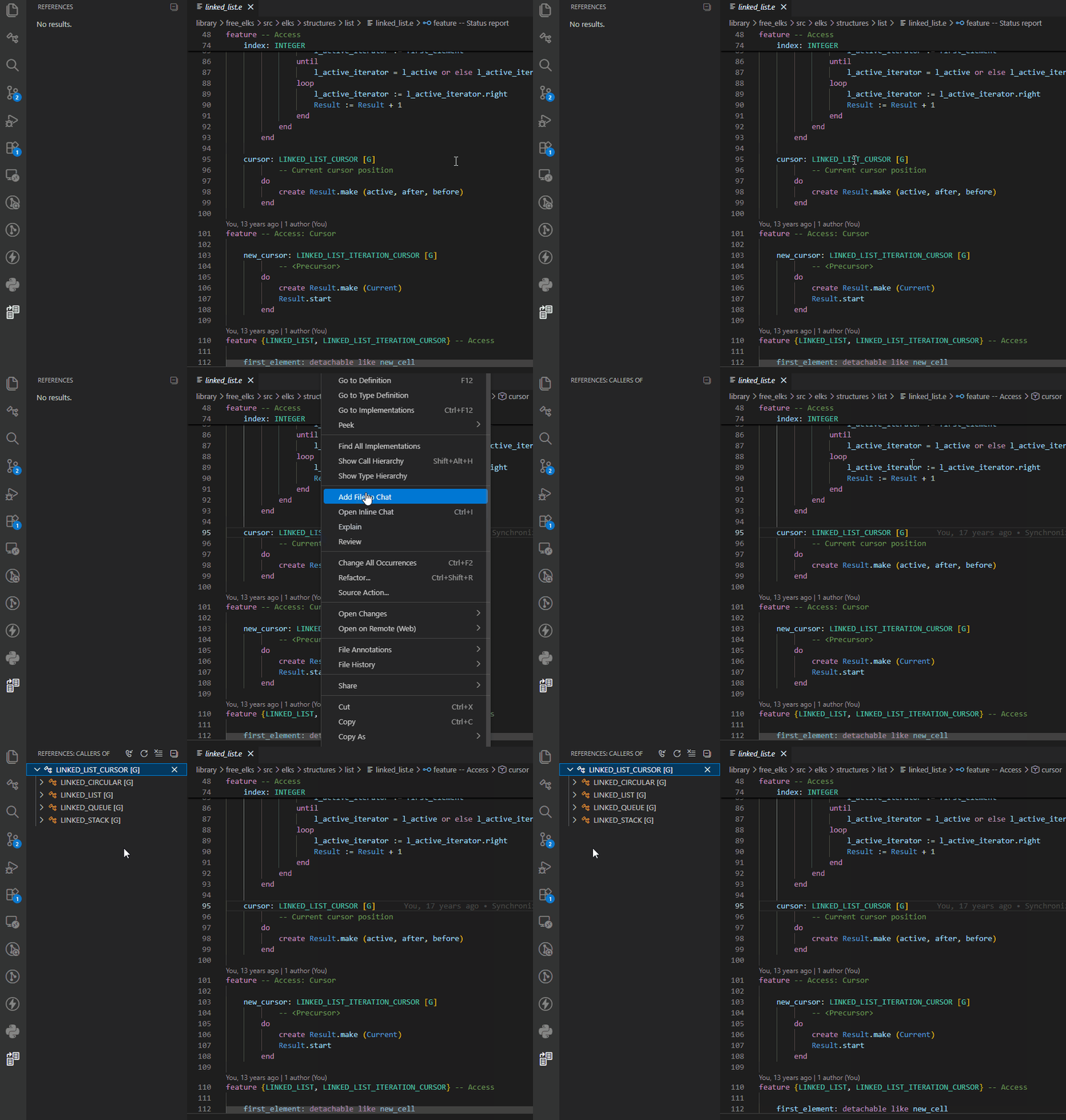
Place the cursor on a class name, then:
- Right-click and select Show Call Hierarchy, or
- Press
Shift+Alt+H
The list of client classes of the selected class is displayed in the References panel. Click on one of these classes to open its class text.
Supplier Classes
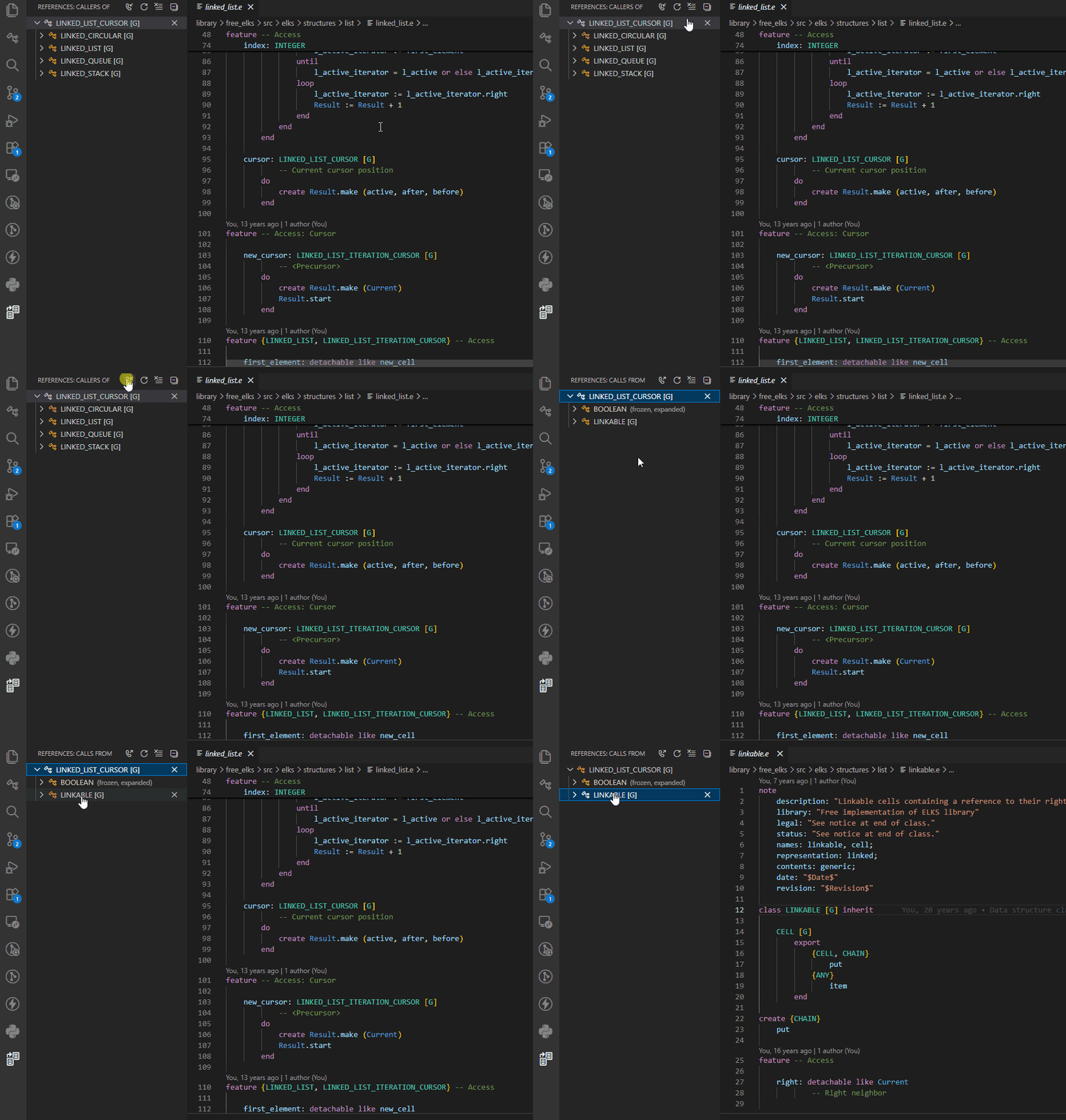
To see the list of supplier classes of a given class, follow the same steps above to open the References panel, then select the Show Outgoing Calls toggle button.
Peek Client/Supplier Classes
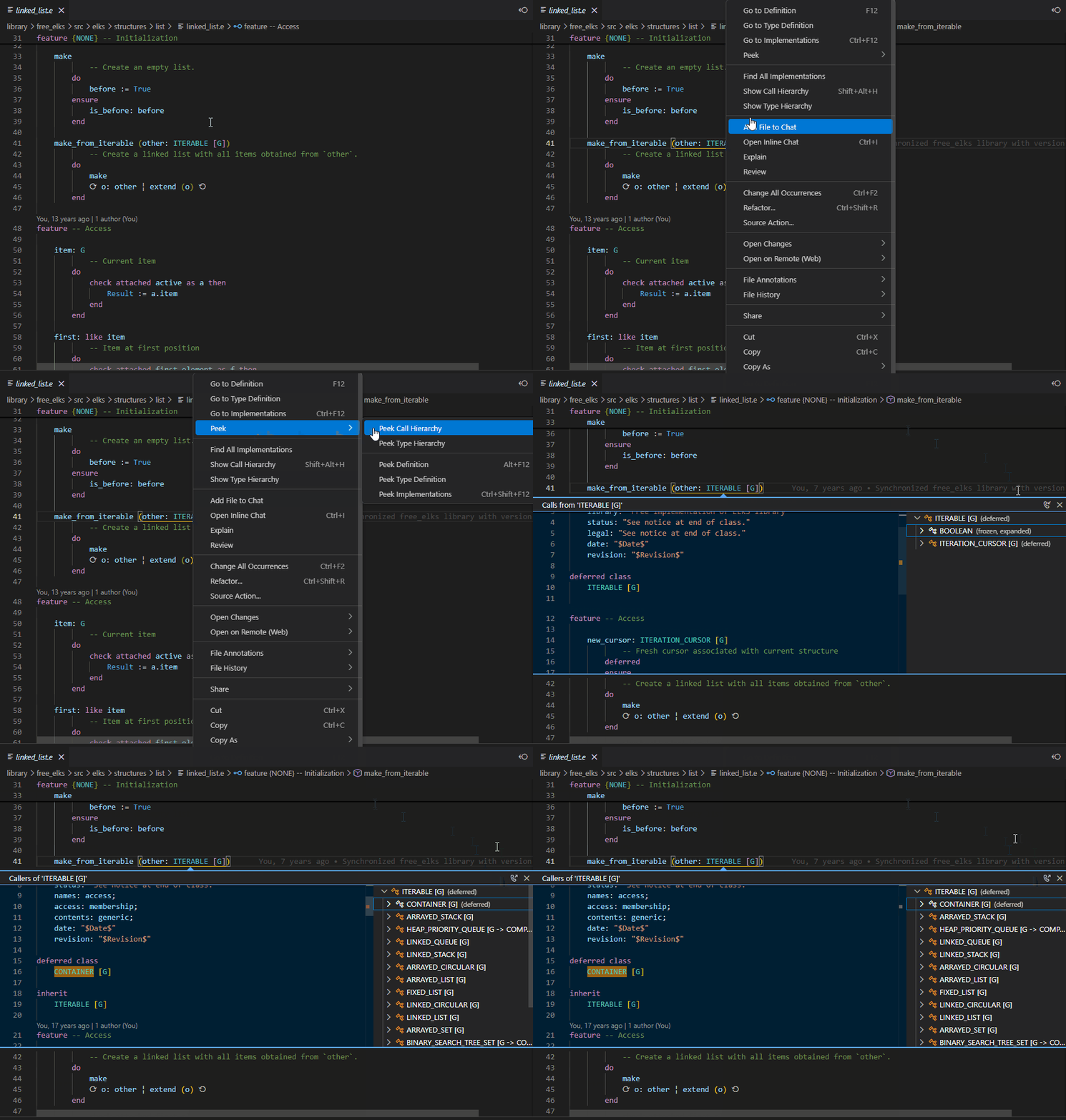
Instead of using the References panel, you can use Peek Call Hierarchy:
- Right-click and select Peek Call Hierarchy
The client and supplier classes are displayed in an inline popup, allowing you to inspect the code without leaving the current context.