gobo-vscode
Gobo Eiffel for Visual Studio Code
Bring the power of the Gobo Eiffel toolchain directly into Visual Studio Code, providing full language support for the Eiffel programming language. This extension lets you edit, navigate, compile and run Eiffel programs seamlessly — ideal for both beginners discovering Eiffel and experienced developers who want an efficient workflow.
🚀 Quick Start
Start coding in Eiffel instantly — from a single file to full
multi-library projects.
Gobo Eiffel supports both a simple Beginner workflow and an
advanced Workspace + ECF workflow.
1️⃣ Beginner: Hello World
New to Eiffel? Start with a minimal project in seconds:
-
Open an empty folder in VS Code.
- Create a new Eiffel project:
- Open the Command Palette with
Ctrl+Shift+P(orCmd+Shift+Pon MacOS). - Type
Gobo Eiffeland select Gobo Eiffel: Create Eiffel Project…. - Enter a project name such as
hello_worldand pressEnter.
- Open the Command Palette with
-
If this is your first time using the extension, VS Code will guide you through installing Gobo Eiffel.
- A ready-to-run Eiffel project is created automatically, including its ECF configuration file.
You can now edit, customize, compile and run your Eiffel program directly from VS Code.
2️⃣ Advanced: Workspace with ECF File
For larger Eiffel projects with multiple classes, libraries, or targets:
-
Open your Eiffel project folder in VS Code.
-
When prompted, select the workspace ECF file, target, and optional environment variables used by the project.
-
The extension automatically enables advanced Eiffel tooling across the workspace, including:
- Code navigation (definitions, implementations, type definitions)
- Feature callers/callees exploration
- Client/supplier relationship analysis
- Inheritance hierarchy exploration
- Context-aware code completion
- Inline error reporting
- Compilation and execution
🧩 At a Glance
| Capability | Description |
|---|---|
| Syntax highlighting | Full Eiffel syntax grammar with modern highlighting |
| Code completion | Context-aware completion for classes and features |
| Navigation | Jump to definitions, implementations and types |
| Hierarchy exploration | Call hierarchy, client/supplier relationships and inheritance trees |
| Compilation | Compile and run Eiffel programs directly from VS Code |
| Error reporting | Inline errors and integration with the Problems panel |
| Execution | Launch configurations |
| Integrated terminal | Preconfigured Gobo Eiffel command-line environment |
✨ Features
-
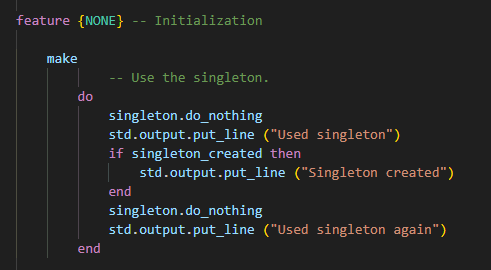
Syntax highlighting & language support
Eiffel keywords, comments and strings are highlighted using an up-to-date Eiffel grammar.
-
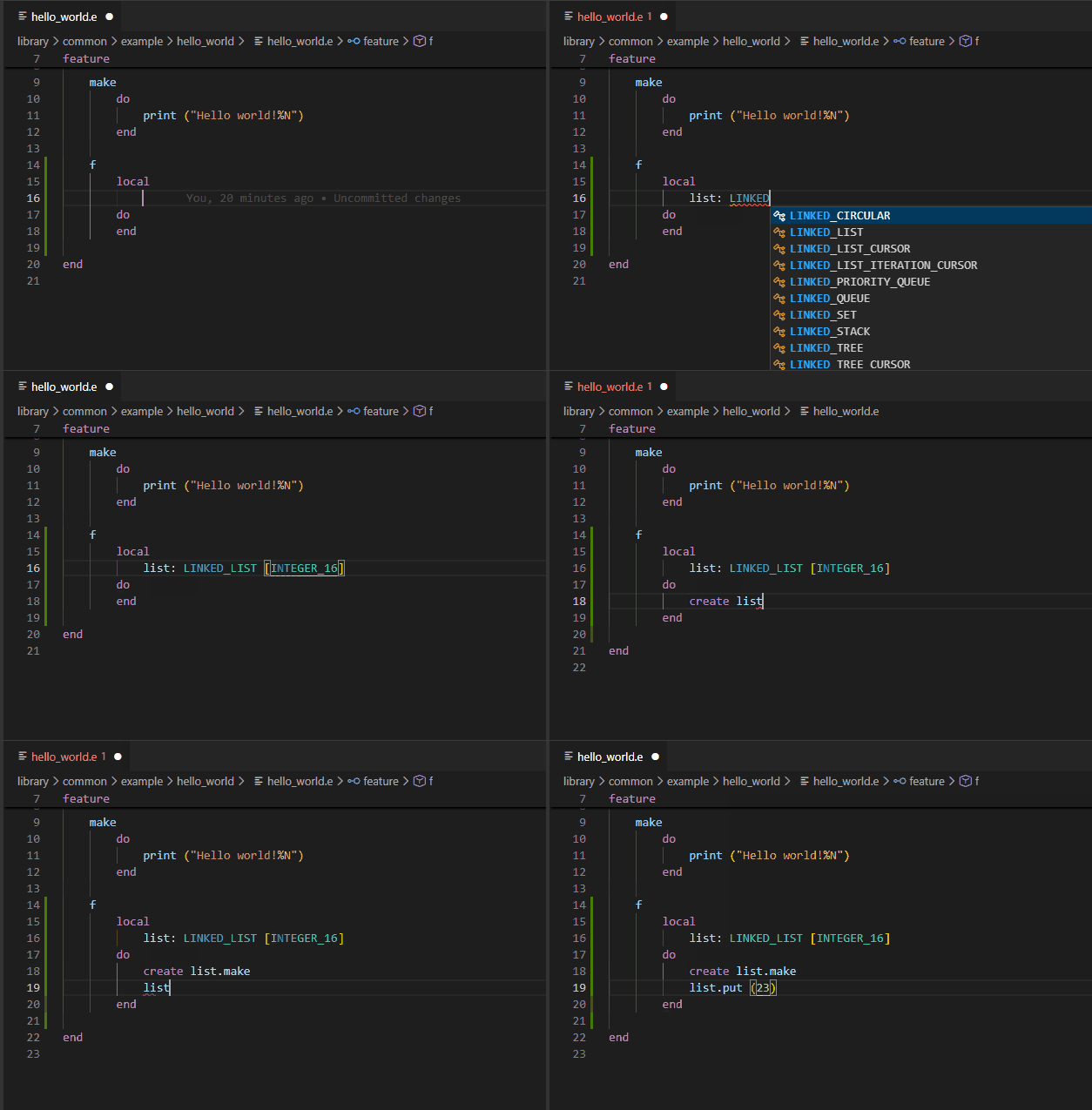
Code completion
Intelligent auto-completion for Eiffel code as you type, including class names, feature names, and context-aware suggestions based on the current scope and static type information.
-
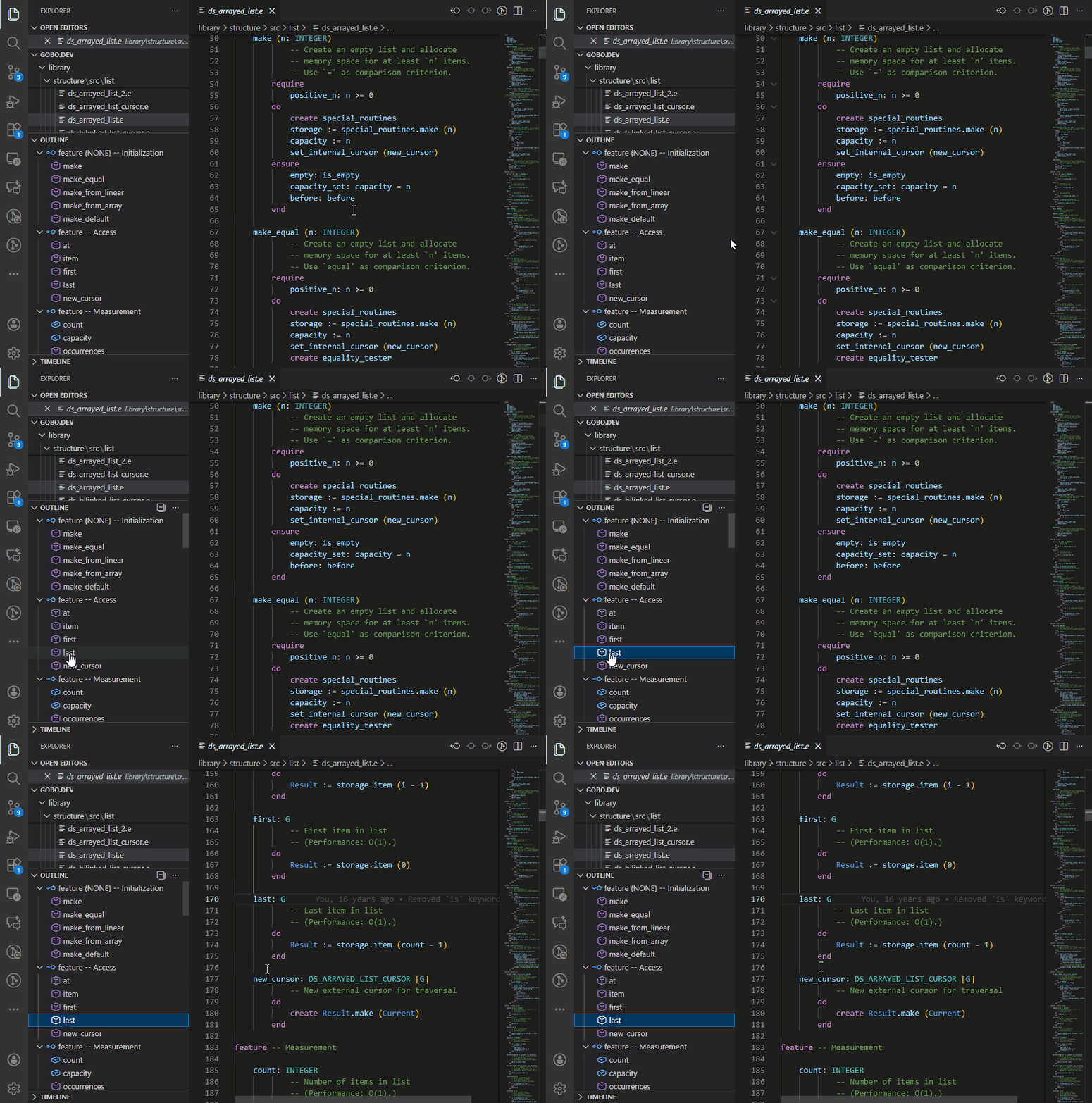
Feature navigation
Quickly jump to a feature or feature clause within the current class from the Outline panel.
-
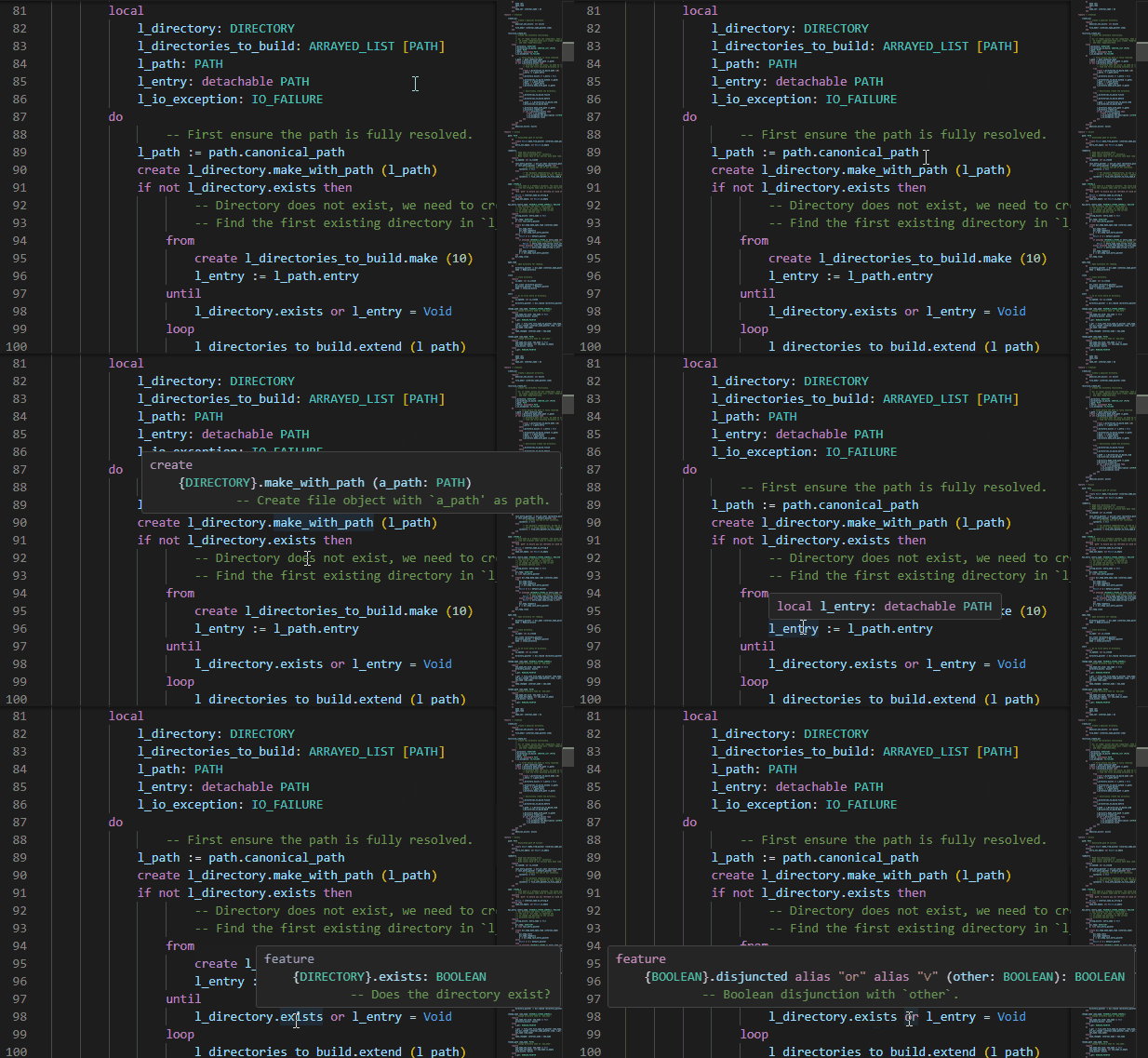
Feature signatures
Hover to view variable types and feature signatures directly in tooltips.
-
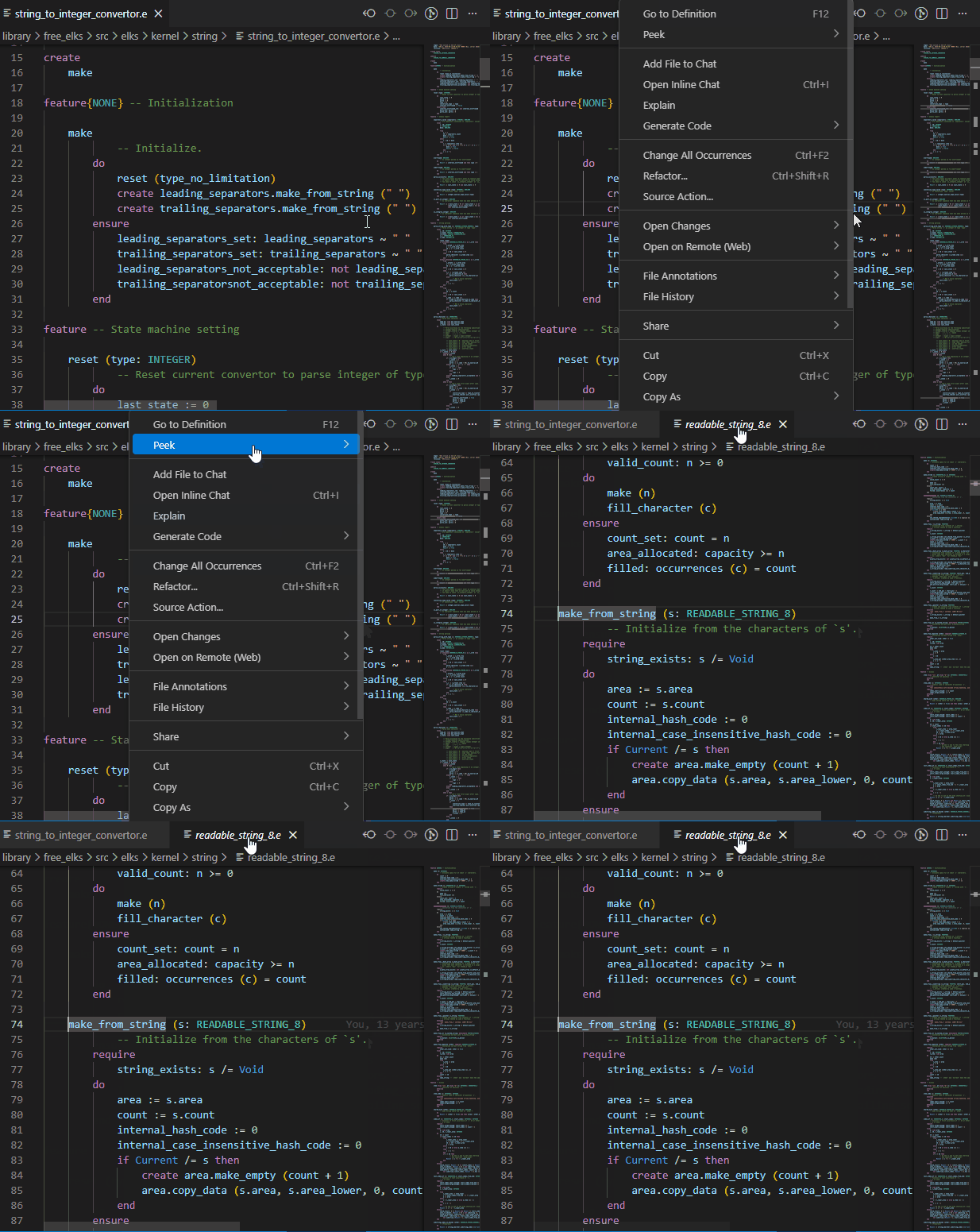
Go to definition
Navigate instantly to the definition of variables and features using the contextual menu.
-
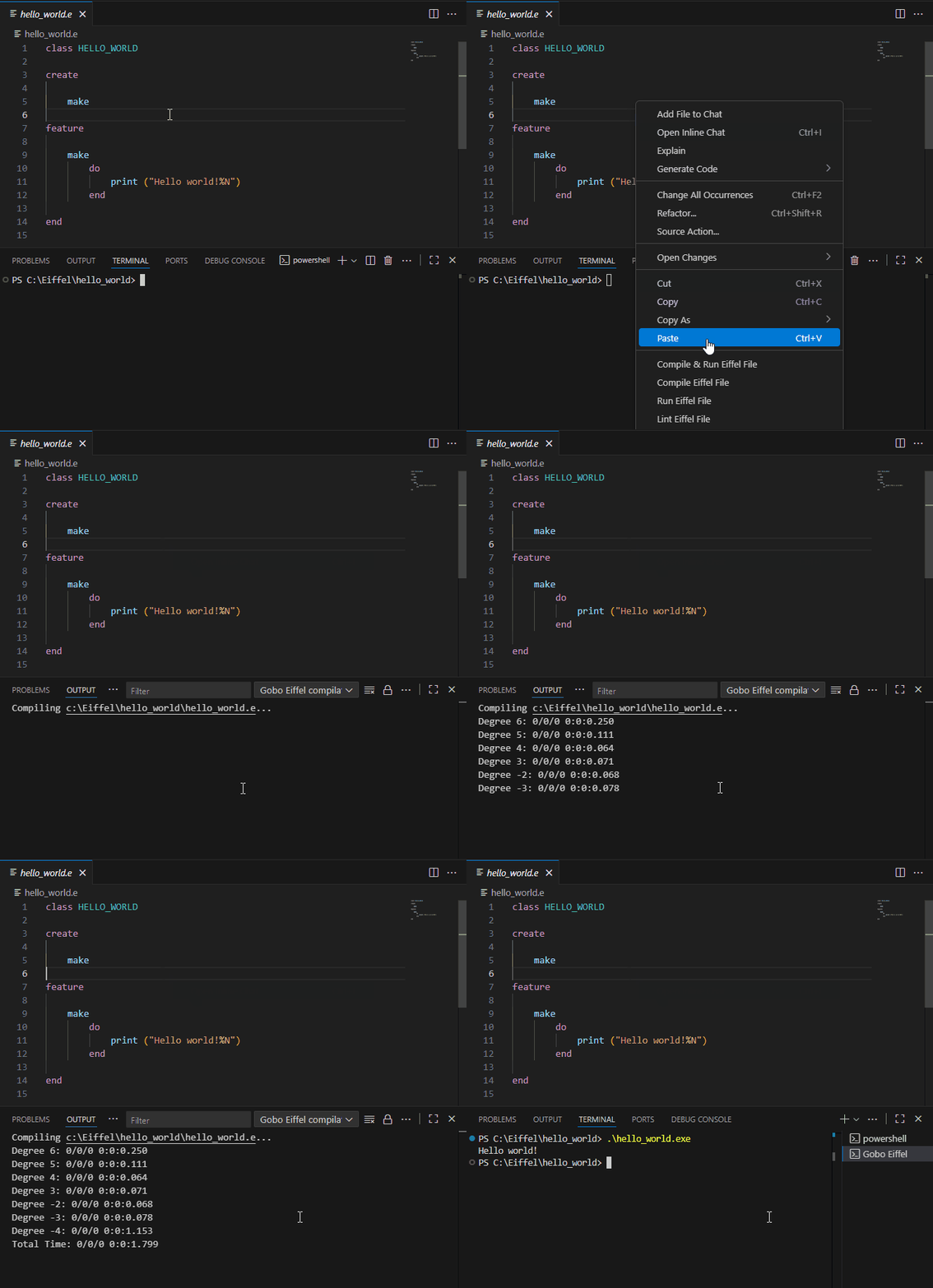
Compile & run from VS Code
- Command to compile the current Eiffel file from the Command Palette or contextual menus.
- Automatically run after compilation in the Terminal panel.
- Set arguments and environment variables using Launch Configurations.
- Generate and use ECF files for more advanced compilation settings.
-
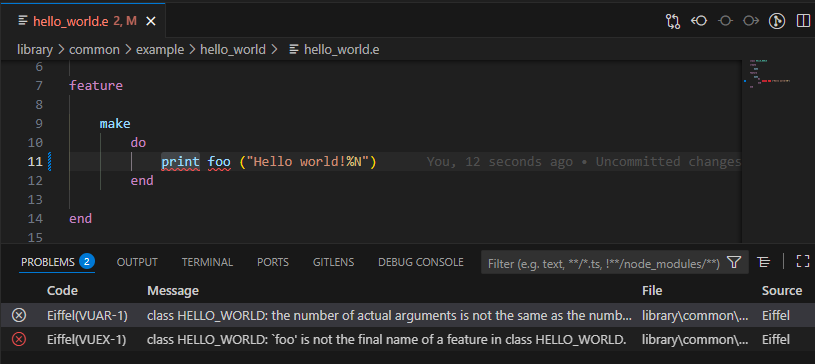
Inline error reporting
Compilation errors appear as you type, with red squiggles in the Editor and entries in the Problems panel. Click an error to jump directly to its location.
-
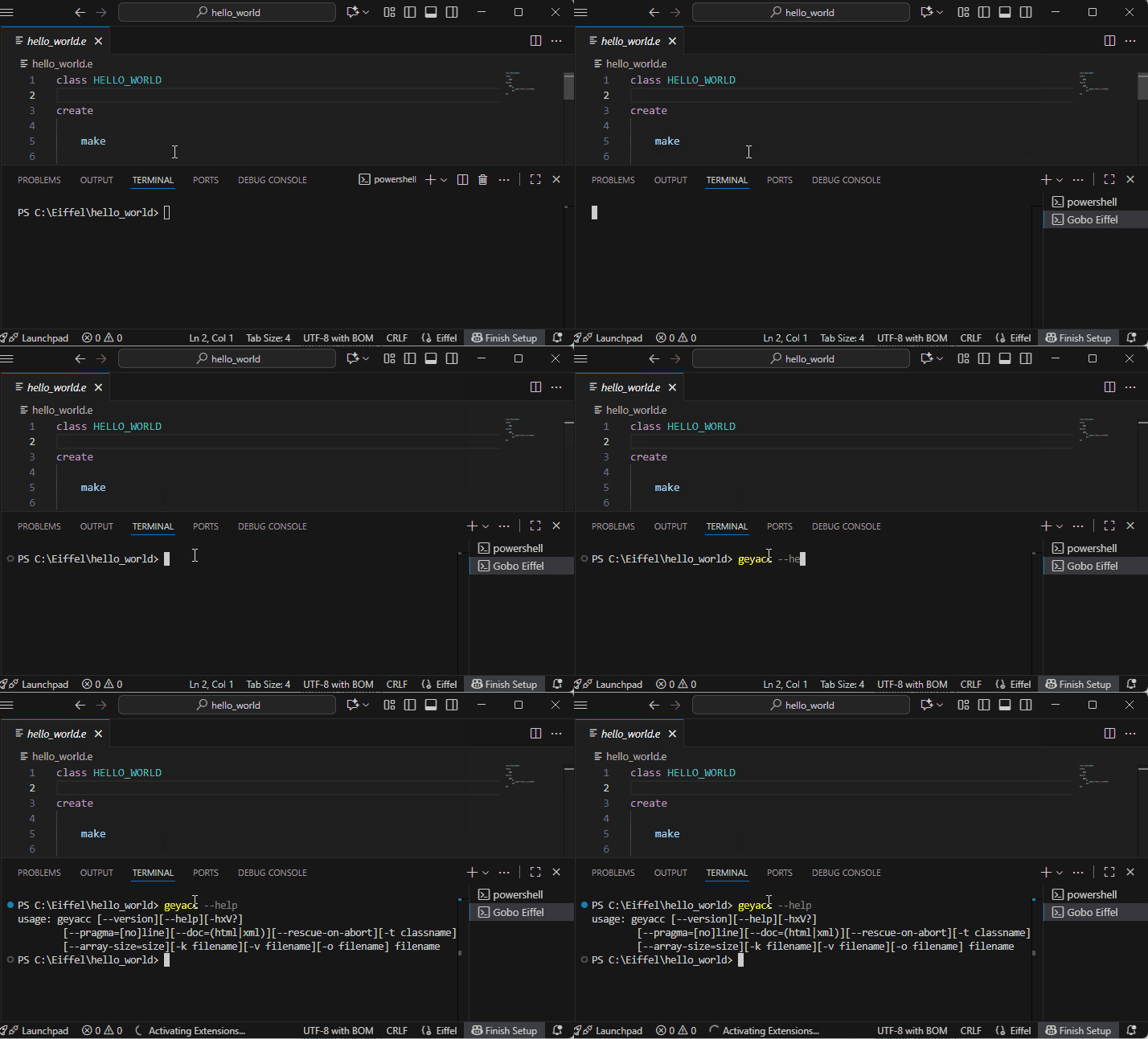
Integrated Eiffel Terminal
Open a preconfigured terminal with Gobo Eiffel’s environment set up automatically, ready for command-line use.
-
Debug configurations
Easily create launch configurations for your Eiffel programs. Pass custom arguments and environment variables, and choose between compile & run, compile-only or run-only modes from the Run And Debug panel or by pressing
F5.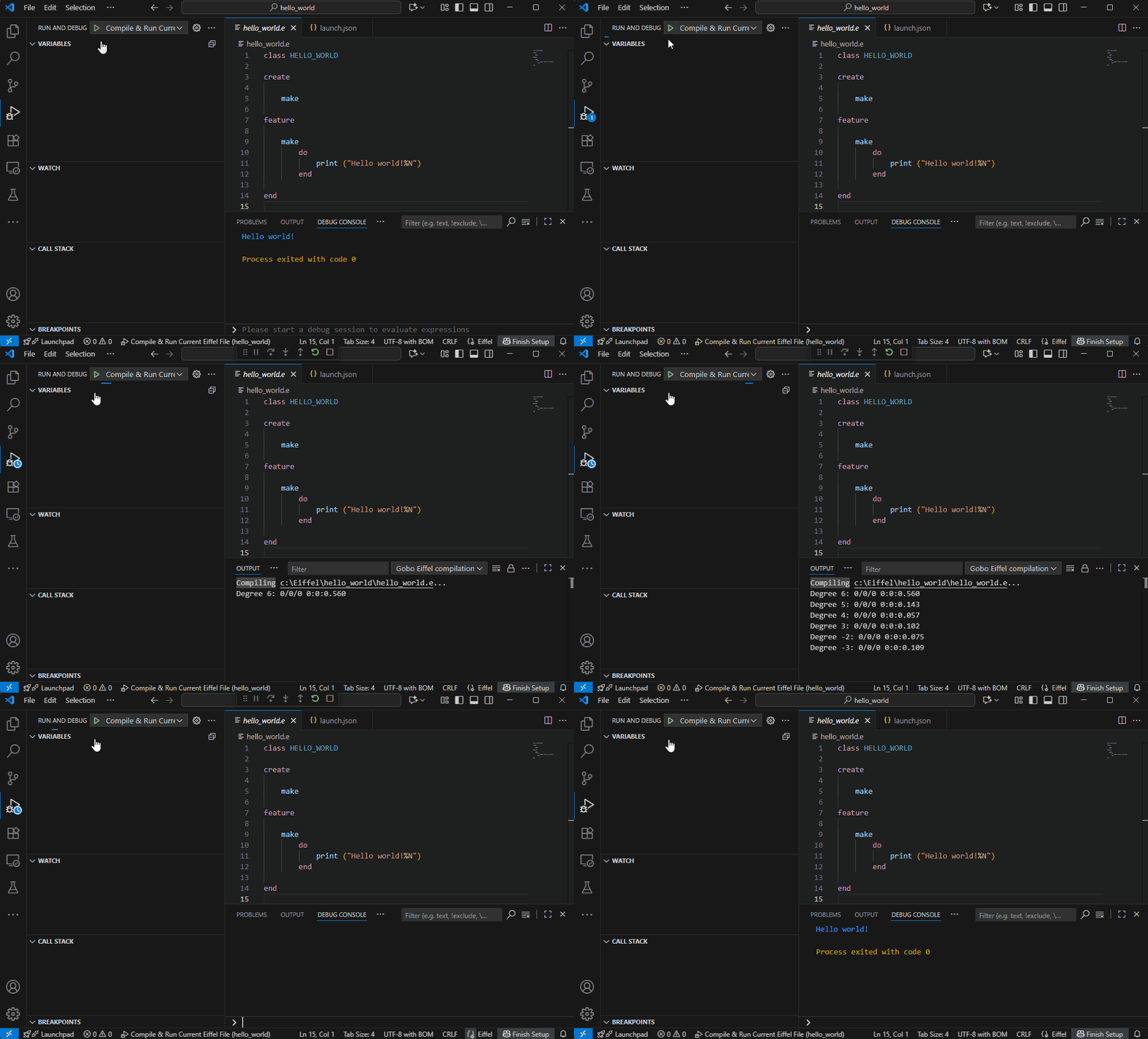
-
Automatic installation of Gobo Eiffel binaries
If needed, the extension can download and install Gobo Eiffel and automatically check for updates.
🧭 Code Navigation
The Gobo Eiffel extension provides rich navigation features that are fully integrated with standard VS Code commands and tailored to the Eiffel language.
You can quickly explore classes, features, inheritance hierarchies, and type relationships across your entire workspace, including library code.
Symbol Navigation
- Go to Definition: Navigate to the declaration of features, variables, classes, arguments, locals, and other Eiffel symbols.
- Go to Type Definition: Jump directly to the class that defines the type of a symbol.
- Go to Implementations: Explore precursors and redeclarations of features across ancestor and descendant classes.
- Class and Feature Search: Quickly search for classes and features using the VS Code search bar and symbol navigation commands.
Hierarchy Exploration
Understand relationships between features and classes through call hierarchies, dependency relationships, and inheritance trees.
- Feature Callers/Callees: Explore features that call or are called by a given feature.
- Client/Supplier Classes: Explore the client and supplier relationships of a given class.
- Ancestor/Descendant Classes: Navigate the inheritance hierarchy of a class.
⚙️ User Settings
You can customize the extension in VS Code’s Settings
(File → Preferences → Settings → Extensions → Gobo Eiffel)
or via settings.json.
| Setting | Description | Default |
|---|---|---|
gobo-eiffel.automaticUpdateCheck |
Automatically checks for new Gobo Eiffel releases. | true |
gobo-eiffel.useNightlyBuild |
Use Gobo Eiffel nightly build instead of the latest release. | false |
gobo-eiffel.workspaceEcfFile |
ECF file to analyze Eiffel classes in current workspace. | null |
gobo-eiffel.workspaceEcfTarget |
Target in ECF file to analyze Eiffel classes in current workspace. | null |
gobo-eiffel.workspaceEnvironmentVariables |
Environment variables used when resolving ECF files. | {} |
The last three settings are workspace-specific settings used to specify the workspace ECF file, which allows the Eiffel analyzer to discover and analyze the classes used in the current project.
You can also create multiple launch configurations in
.vscode/launch.jsonwith different arguments or environment variables for each program.
📦 Commands
All commands are available from the Command Palette or contextual menus:
- Compile & Run With Workspace ECF File
- Compile With Workspace ECF File
- Run With Workspace ECF File
- Lint With Workspace ECF File
- Compile & Run With Current ECF File
- Compile With Current ECF File
- Run With Current ECF File
- Lint With Current ECF File
- Compile & Run Eiffel File
- Compile Eiffel File
- Run Eiffel File
- Lint Eiffel File
- Create Eiffel Project
- Create ECF File
- Select Workspace ECF File
- Select Current File as Workspace ECF File
- Show Workspace ECF File
- Set Environment Variables
- New Gobo Eiffel Terminal
📚 More Information
Happy Eiffel coding in VS Code! 🚀