gobo-vscode
Eiffel For Beginners
If you are new to Eiffel, the best way to start using this extension
is to create the Eiffel file hello_word.e in VS Code with the
following content:
class HELLO_WORLD

create

	make

feature

	make
		do
			print ("Hello world!%N")
		end

end
It will be displayed with syntax highlighting in the Editor:
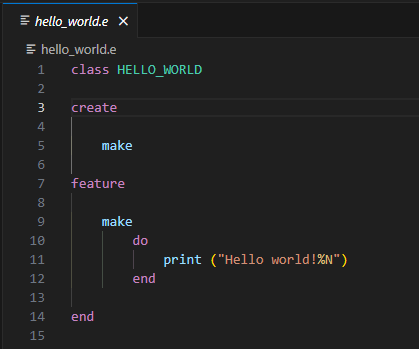
You can then compile and run this program using the command Compile & Run Eiffel File from the contextual menu.
Since it is the first time that you use this extension, you will be asked to
download and install Gobo Eiffel.
The compilation will start after the installation is complete. You will notice that
it spends time compiling a lot of C files. Don’t worry, this is a one off compilation
stage when calling gec (the Gobo Eiffel Compiler) for the first time on the
computer. Executing the Compile & Run Eiffel File again will be much faster.
🎉 Congratulation, you compiled and run your first Eiffel program!