gobo-vscode
Create Eiffel Project
When starting from an empty workspace folder, you can ask the Gobo Eiffel extension to create a simple Eiffel project for you.
This is a convenient way to get started quickly with a minimal project structure, including:
- A simple Hello World Eiffel class
- A matching ECF file ready for compilation
The generated ECF file is automatically selected as the workspace ECF file, enabling code navigation, completion, analysis, and compilation features immediately.
To create a new Eiffel project:
-
Open the Command Palette with
Ctrl+Shift+P(orCmd+Shift+Pon macOS). -
Type
Gobo Eiffeland select Gobo Eiffel: Create Eiffel Project… -
Enter a project name (for example
hello_world) and pressEnter. -
If this is your first time using the extension, VS Code will guide you through installing Gobo Eiffel.
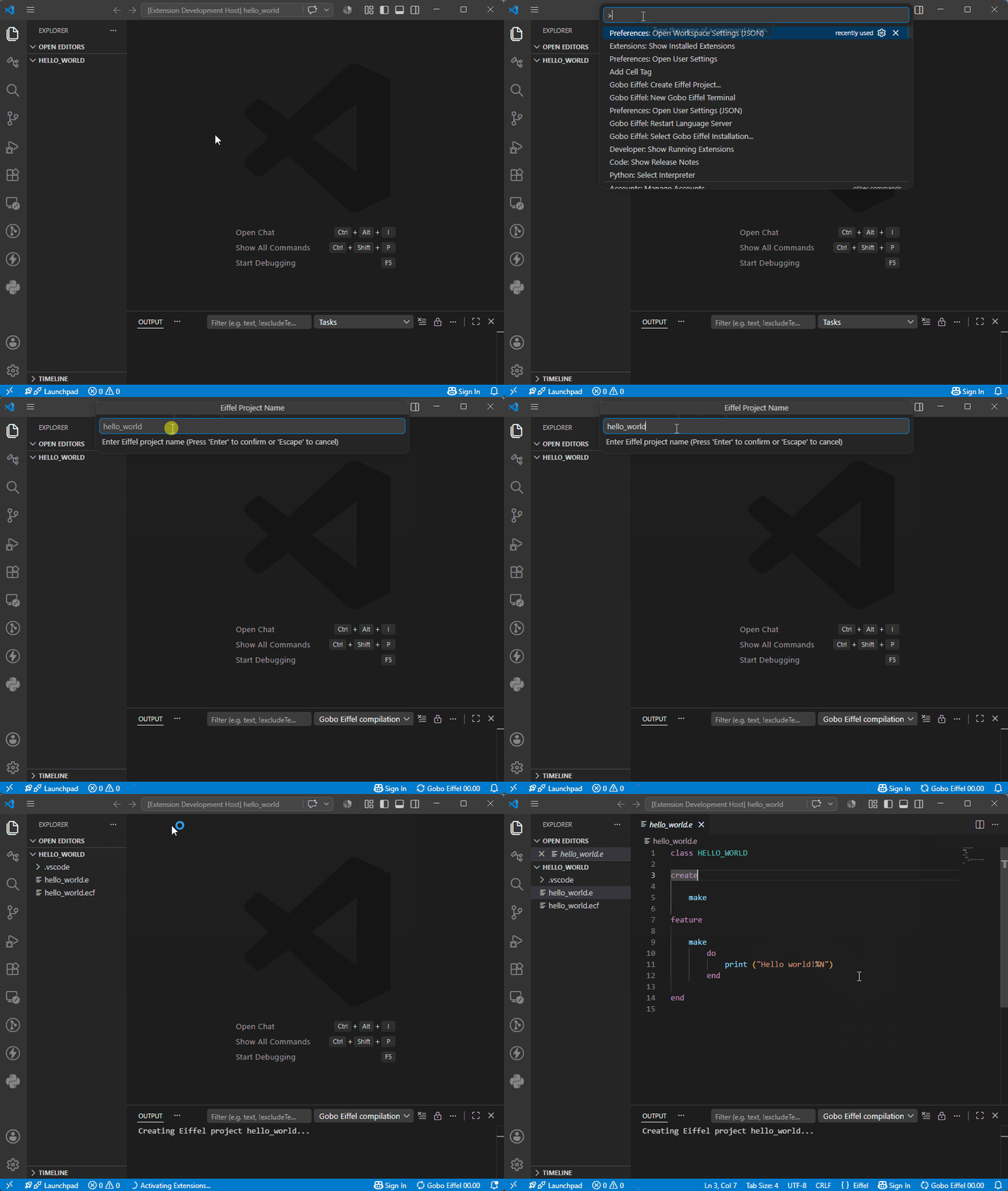
The extension generates a ready-to-run Eiffel project that you can immediately edit, customize, compile and run.